
How WerkMomente works.
The full product tour: the Wall, AI text suggestions, the BrandMoment card, the connection helper, team benchmark and forecast — all explained with screenshots.
The full product tour: the Wall, AI text suggestions, the BrandMoment card, the connection helper, team benchmark and forecast — all explained with screenshots.
While your people post, the platform coordinates in the background and supplies the tools that are usually missing – so nothing is left sitting, everyone gets their turn, and no one faces a blank page:
Who posts on which topic and when, visible weeks ahead. The moment someone links their content to a slot, the status moves from planned to content ready to published – nobody has to chase anyone.
Two sources come together here: planned content from the agency or marketing, and spontaneous phone photos from the team. “For me” shows each person what was prepared specifically for them.
Posts go to named people, not to “the team”. If one is left sitting, the reminder email is ready with a single click – and you send it, nothing goes out automatically.
You can post for a manager or sales director so leadership stays visible without carving out the time. Only where that person has granted permission in their own settings beforehand.
No image to hand? From your template, a card in your colours takes two minutes. Type the headline; logo, typography and layout come from the brand setup automatically.
See the card editor →Before you publish, it shows whether the moment is a good one and names the next better window. So “when should I post this” stops being a gut call.
The benchmark makes visible who posts how much and what reach it earns. The forecast works out what is achievable if everyone joins in – realistic targets instead of wishful numbers.
Benchmark & forecast →Requests written out, grouped into campaigns, progress in view. You send them yourself on LinkedIn – no auto-spam, everything stays in your hands.
How it works →Instead of one heroic effort a month: a visible team that pulls together, week after week.
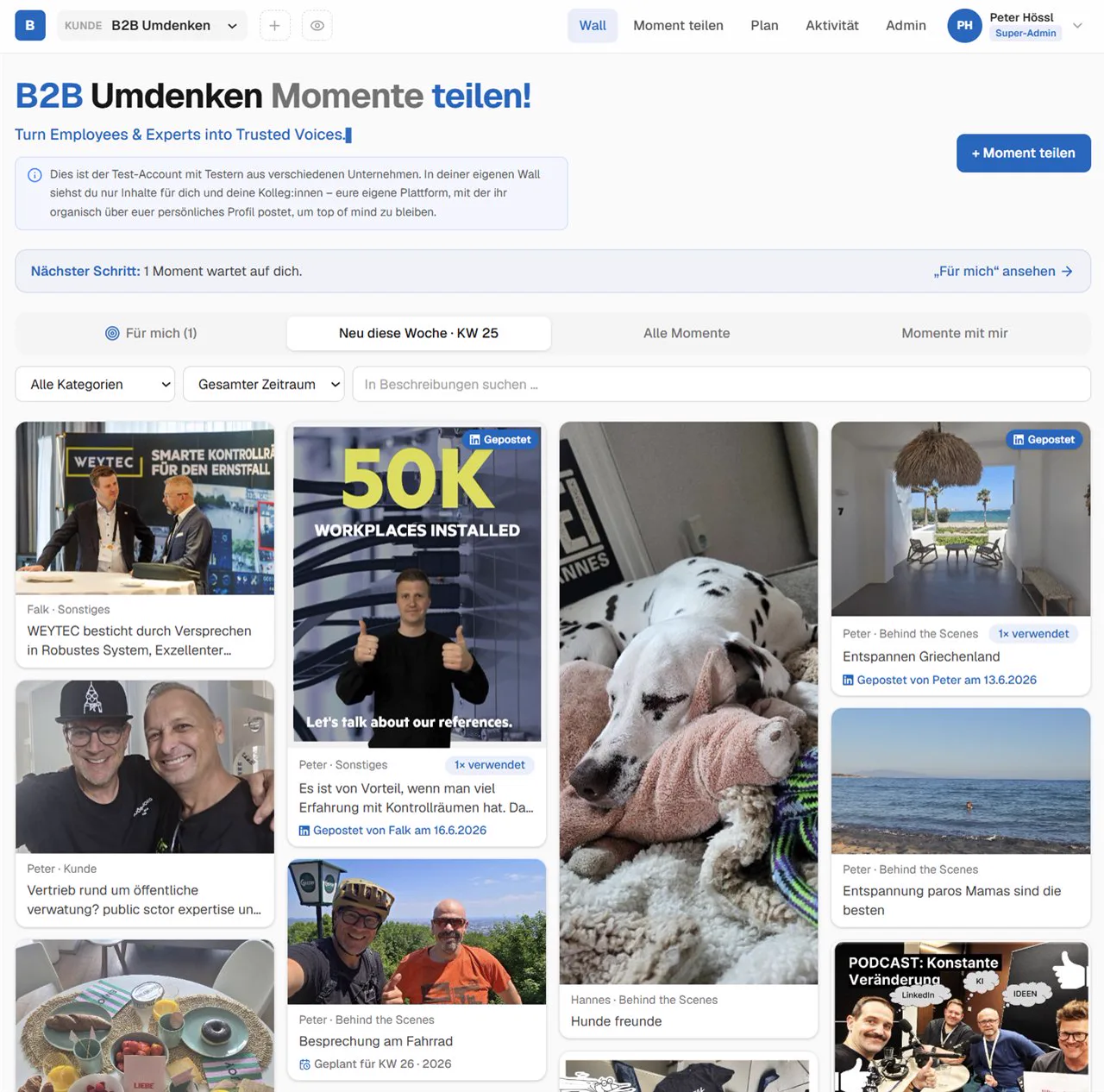
The Wall: the shared pool where everything comes together. Phone photos from the team (trade fair, client meeting, event), planned content from the agency and campaign material from the in-house social media manager all meet here. Every moment is tied to the editorial plan and assigned to the right people – you pick one and turn it into your post. Image, carousel, PDF & video.
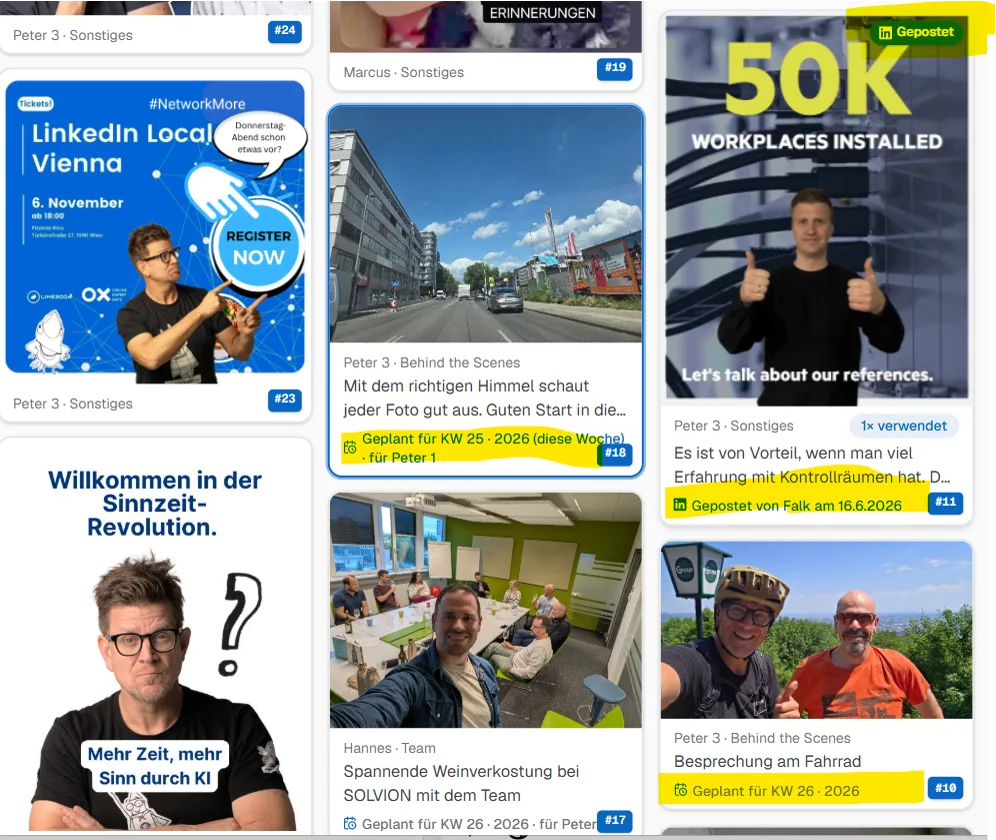
Wall live – everything at a glance: every moment carries its own markers. The fields highlighted in yellow show the essentials in one row: who is posting (person assignment), when it should go out (date or deadline), which format (image · carousel · PDF · video) and whether the post is already live on LinkedIn. So the whole team sees in seconds what is open, what is in progress and what is already out – without a spreadsheet, without asking around. The assignment to the agency or the social media manager, and the complete overview, live in the editorial plan.
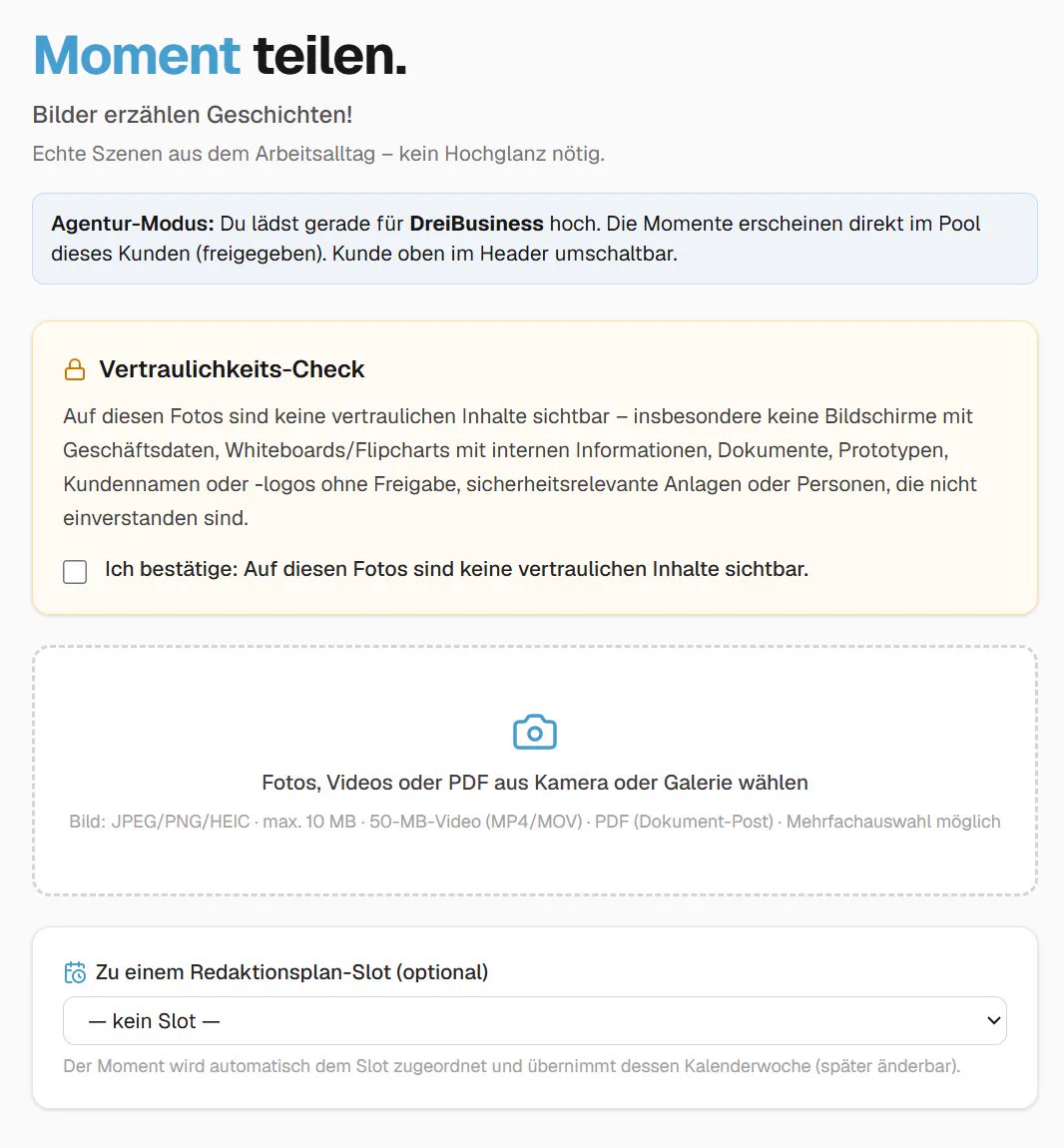
Share a moment: first a quick confirmation that the photos contain nothing confidential – then you are off. Optionally you assign the moment straight to the right slot in the editorial plan.
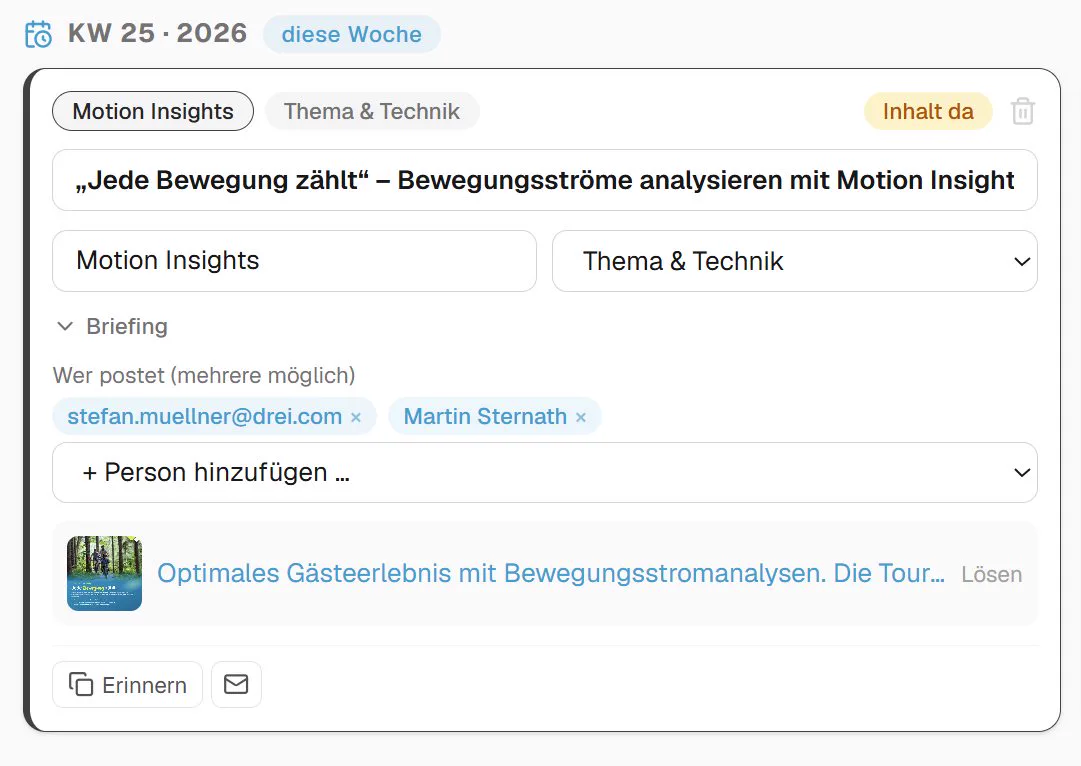
Editorial plan: in which calendar week do which experts from the team post which content – and about which product? And is the content already there? Yes – uploaded and assigned by the social media manager.
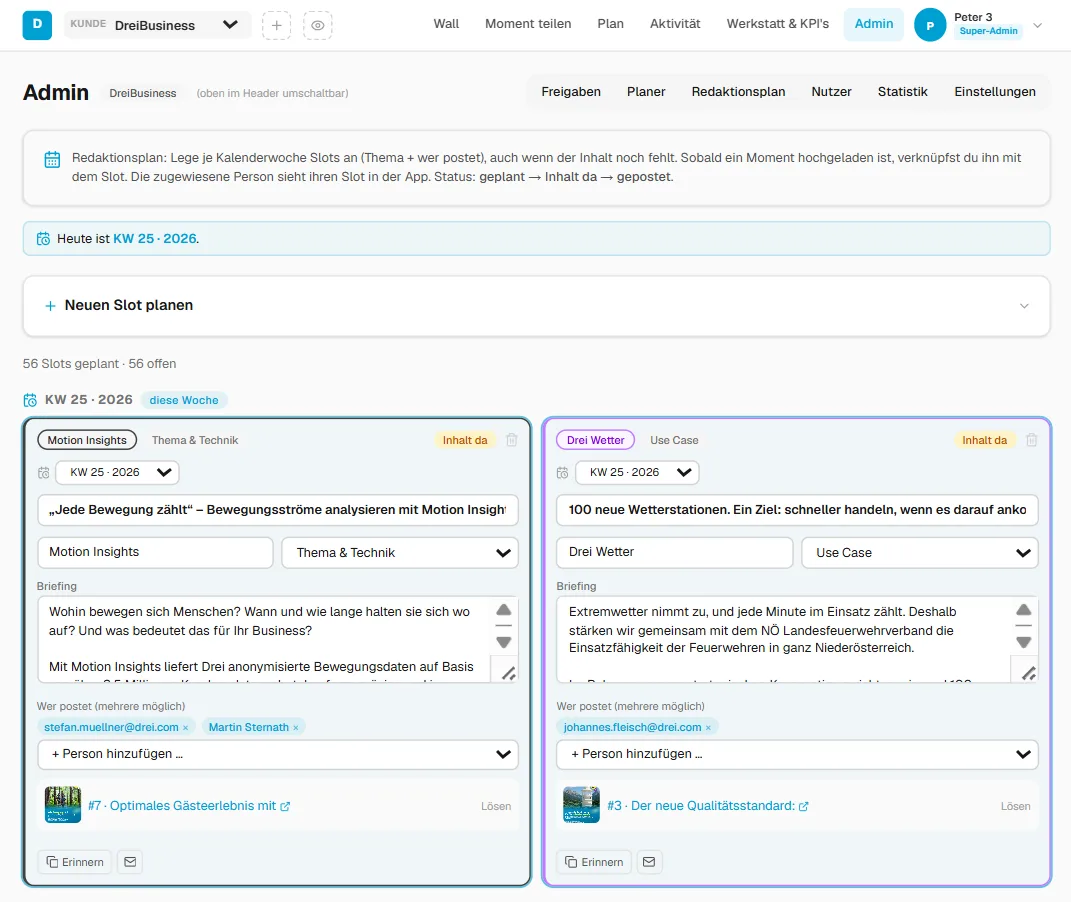
Editorial plan – the full admin view: every weekly slot on one page. Each slot carries topic, use case, briefing, assigned people and status (planned → content ready → published). As soon as a moment is uploaded, the assigned person links it to their slot – and the status moves on automatically.
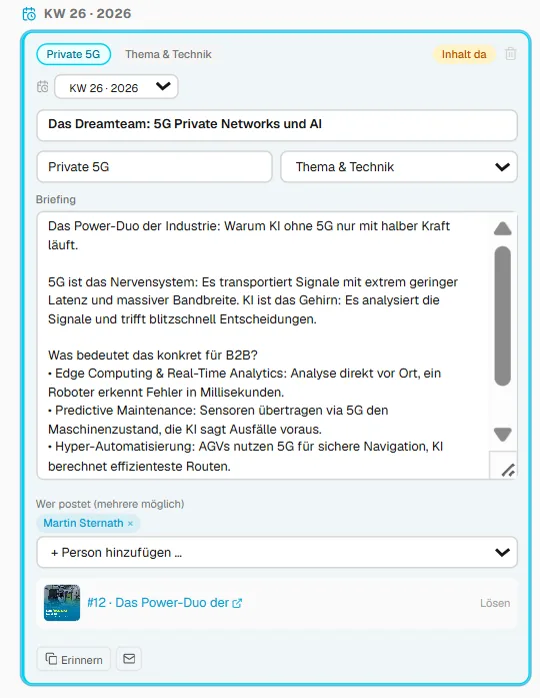
Slot detail with the briefing: a single weekly slot in full depth – topic, format tag, a detailed briefing for the AI and the suggested post, person assignment, the linked moment plus a reminder button by email. So everyone knows immediately what to post about and what matters.
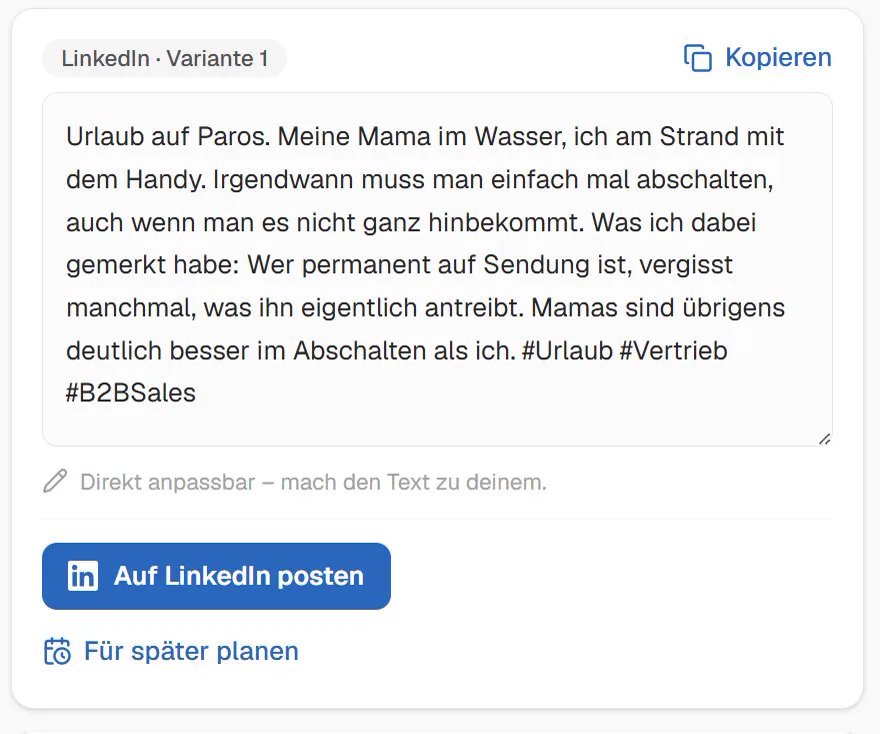
Edit the text – with an AI that knows you: you adapt every suggested text before publishing. The drafts are optimised for the posting format in question (each with its own skill) – and because every client has their own WerkMomente instance, the AI also knows the background of your business.
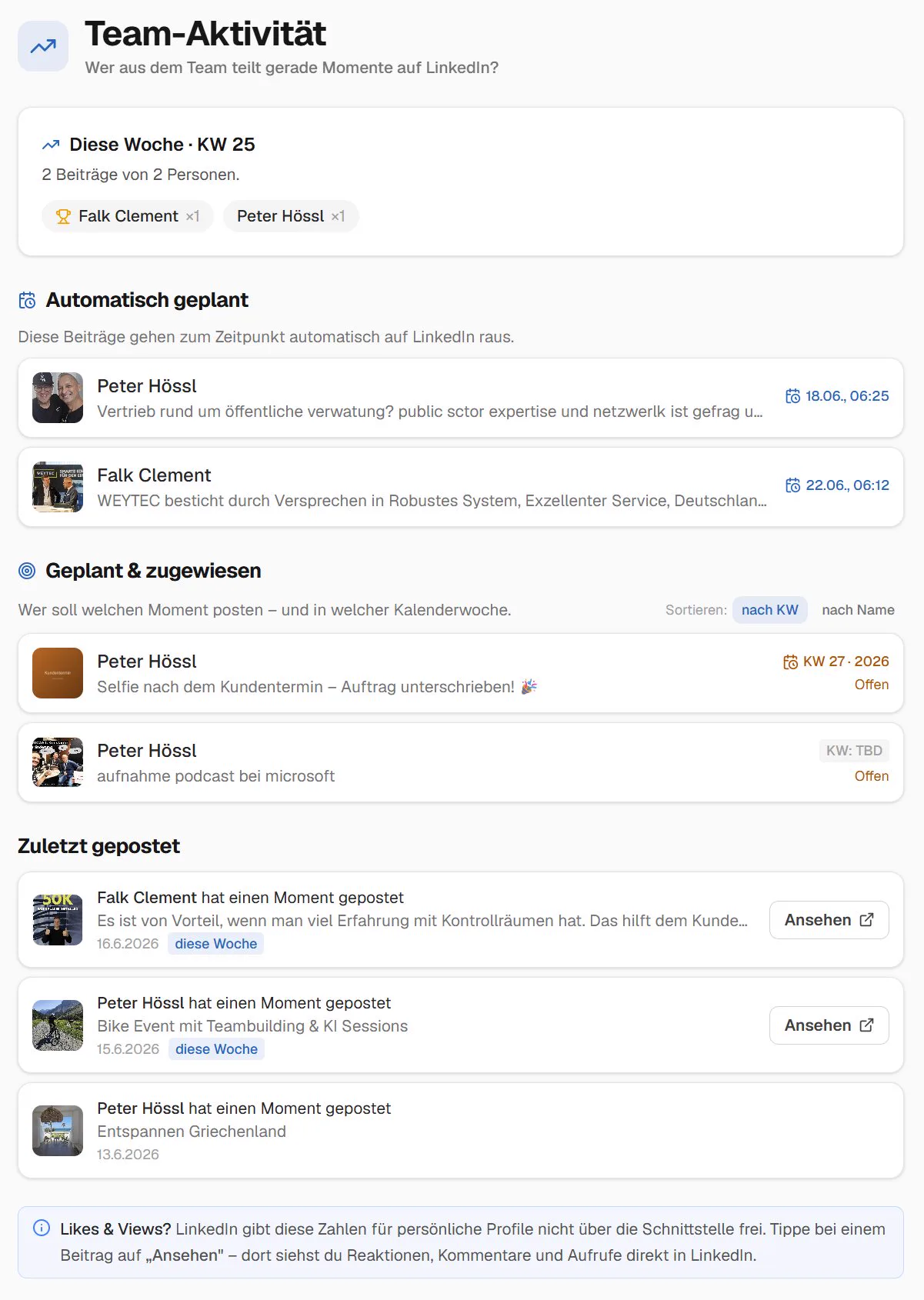
Team activity at a glance: at the top the scheduled posts that go out automatically – below them the assigned ones and the posts that are already live.
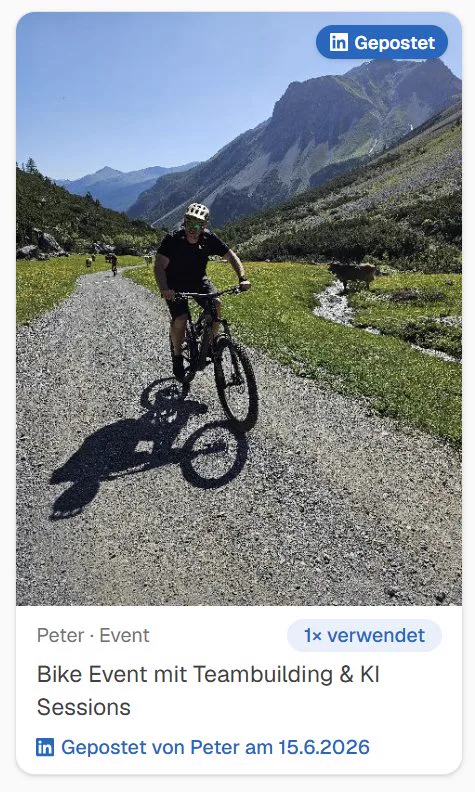
Immediately visible – who has already posted: on the Wall everyone can see what has gone live on LinkedIn and who posted it. Plus one click to ask colleagues by email to like and comment.
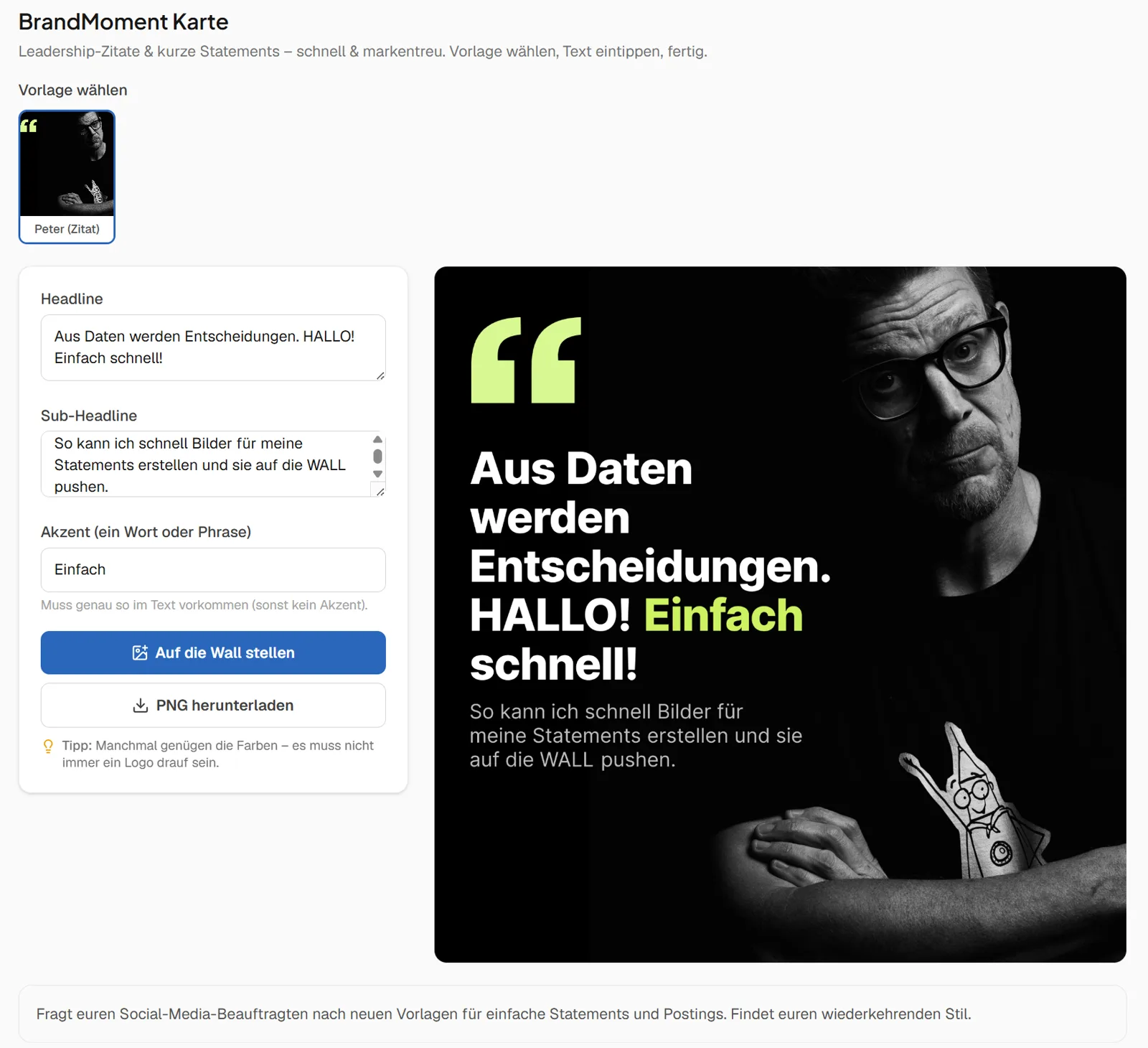
From your template, the tool generates a finished social card: headline, logo, colours, layout – all in your brand's visual identity. People pick the template, type in a headline and a statement, and out comes a card that fits your look rather than looking accidental.
No more “the team made that, and you can tell”. With the BrandMoment card every post looks like your brand, without anyone having to open Photoshop.
That is exactly the moment the BrandMoment card exists for. You have a thought, a quote, a number – but no image. Instead of waiting, you build a card in two minutes that stands in your colours.
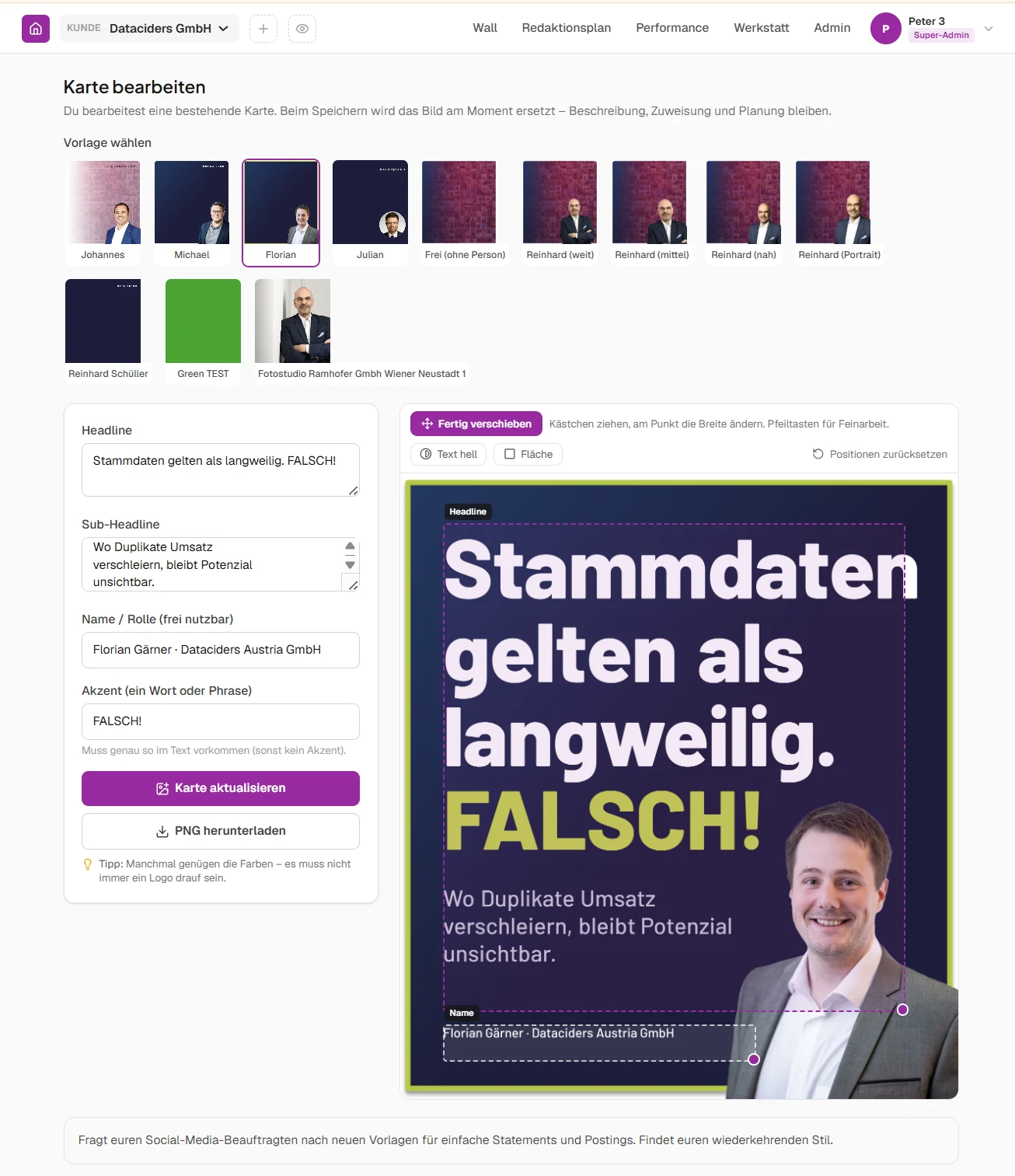
This replaces neither a designer nor an agency. It is a stopgap for the case in between: a quote, a number, a thought – so that something happens and you are not waiting three days for an asset.
The carefully produced assets from your agency keep their purpose. Campaign visuals, carousels and videos carry concept and craft – and it shows. The BrandMoment card is not the cheaper version of that, it is something else: it fills the gaps while the good work is being made.
Use it deliberately, don't overdo it. Build every post this way and you end up with a feed where everything looks the same. For a quote in between, the card is perfect; for the product campaign, it is not. And get help with the templates: internally from marketing, or from your agency. Set the kit up properly once and even the quick post looks like your brand – and a recurring style emerges instead of random one-offs.
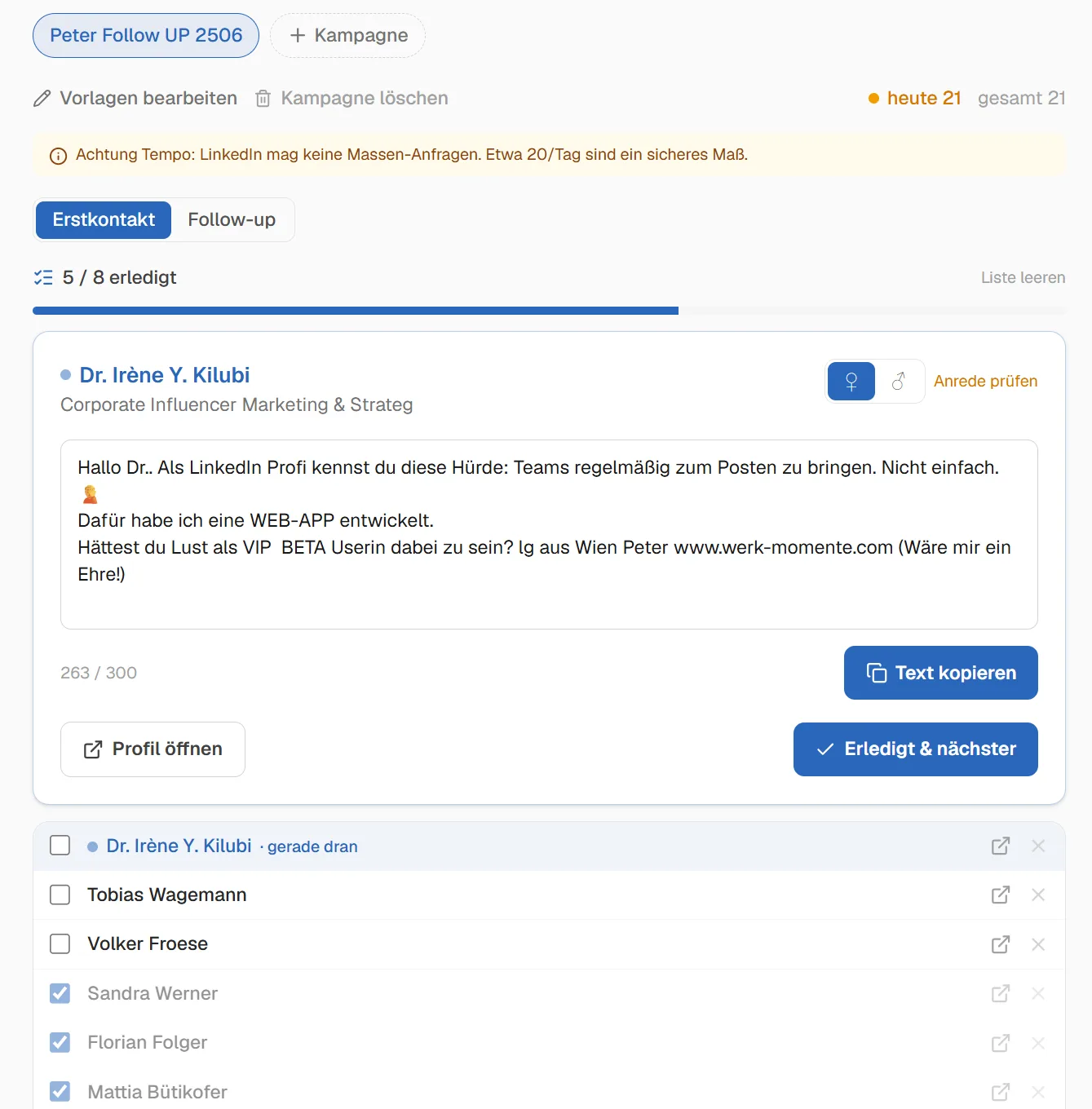
A finished message, the right form of address automatically, progress in view. The tool prepares every LinkedIn request ready to go, you send it yourself on LinkedIn (no auto-spam, everything stays in your hands).
Put the thinking into the selection rather than into contacting as many people as possible. Every request should carry something of real value. “Your profile is interesting” is not enough. Closer: a white paper that speaks to a specific pain, or a webinar invitation – but take your time and don't lead with the sales pitch.
The strongest thing is a genuine connection: a referral, or a reference such as “we have already worked with your colleagues in Austria on topic X, it might be relevant for your team too – here are the results.”
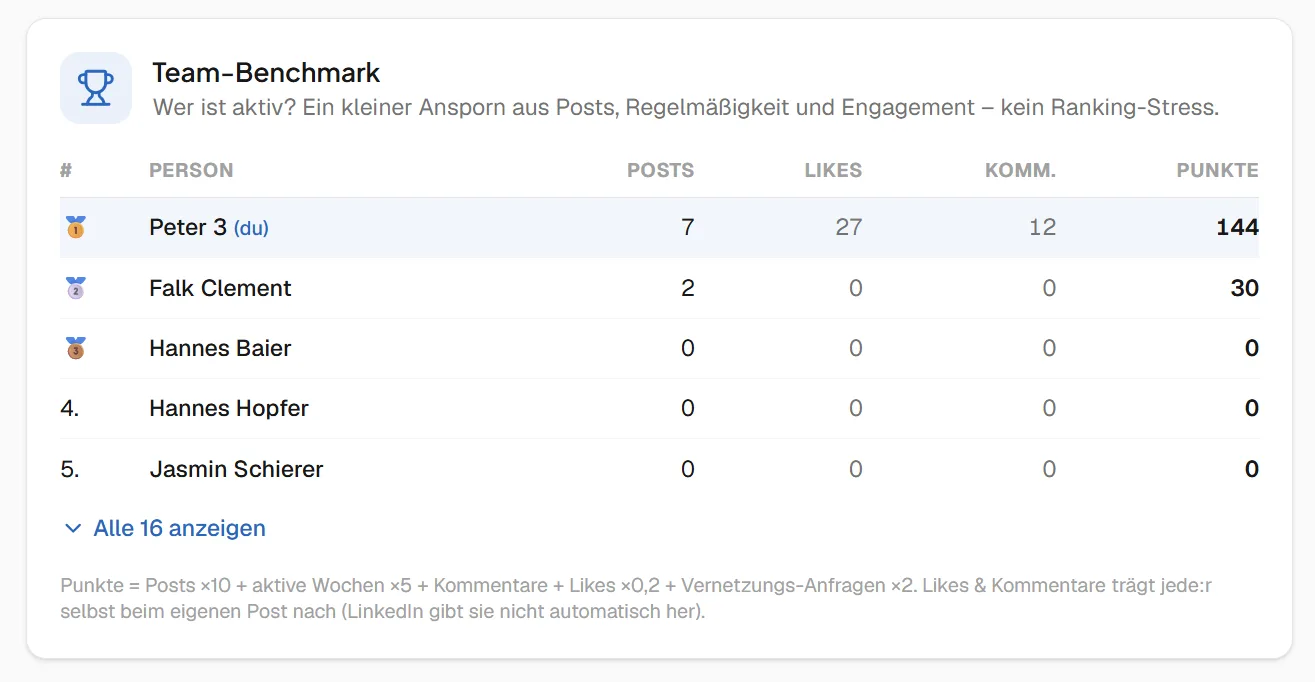
Who posts how much, who gets how much reach, who comments most actively? The team benchmark dashboard makes the comparison visible, fair and motivating. Whether your programme leans towards social selling, corporate influencing or employee advocacy: measurable KPIs are always welcome.
Quiet readers turn into active voices once they can see where they stand. Gamification, lightly – no pressure, but a clear view of the effect.
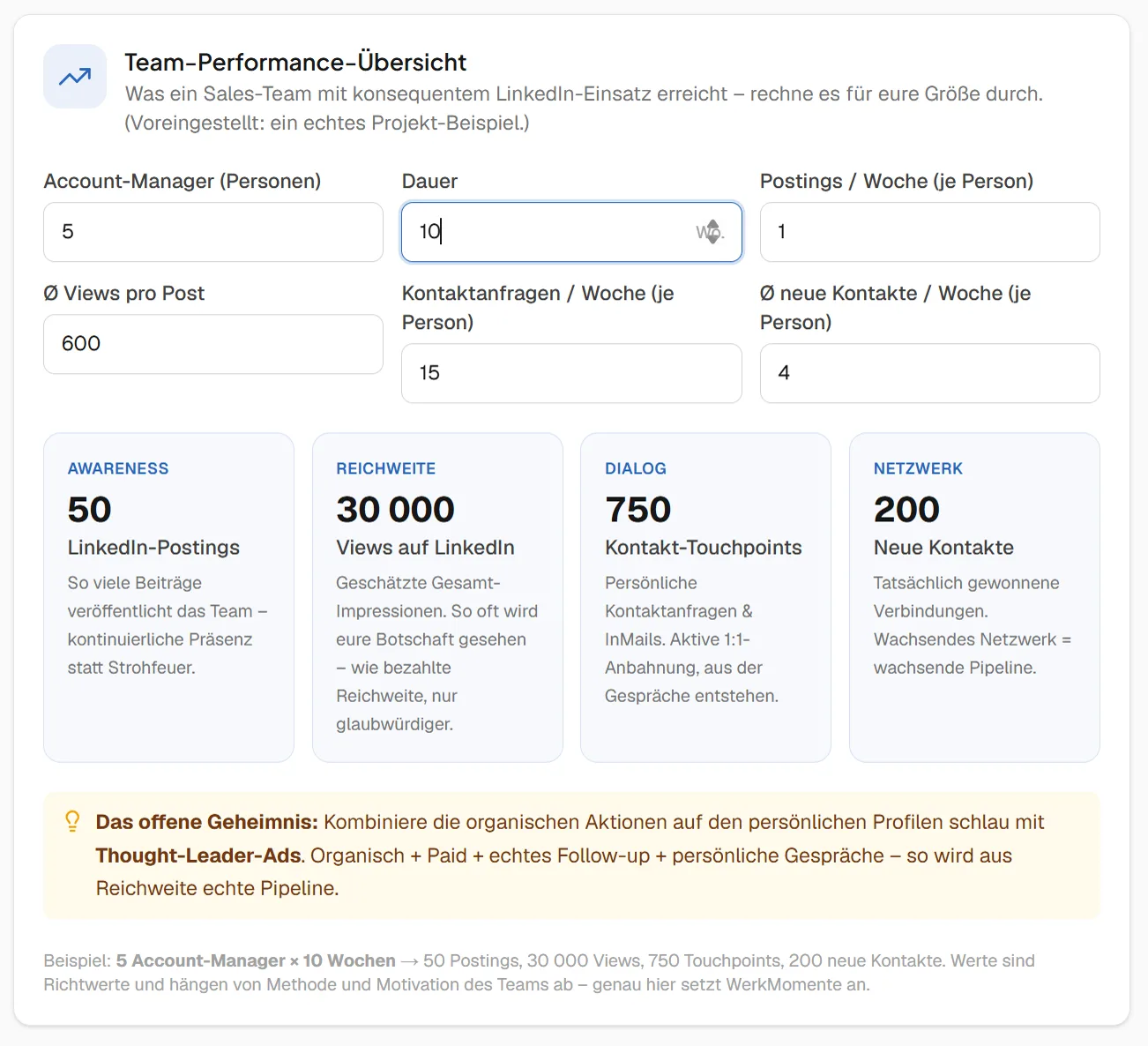
The team performance overview shows what your current activity can deliver in reach, connections and posts – and what comes out if everyone pulls together. That lets the team agree on realistic targets instead of burning out against numbers picked by gut feeling.
It is striking what becomes reachable as a team: a single post might bring a few hundred views, but when 10, 20, 50 colleagues post, connect and comment regularly, the combined reach moves by orders of magnitude. Real power, when everyone joins in.
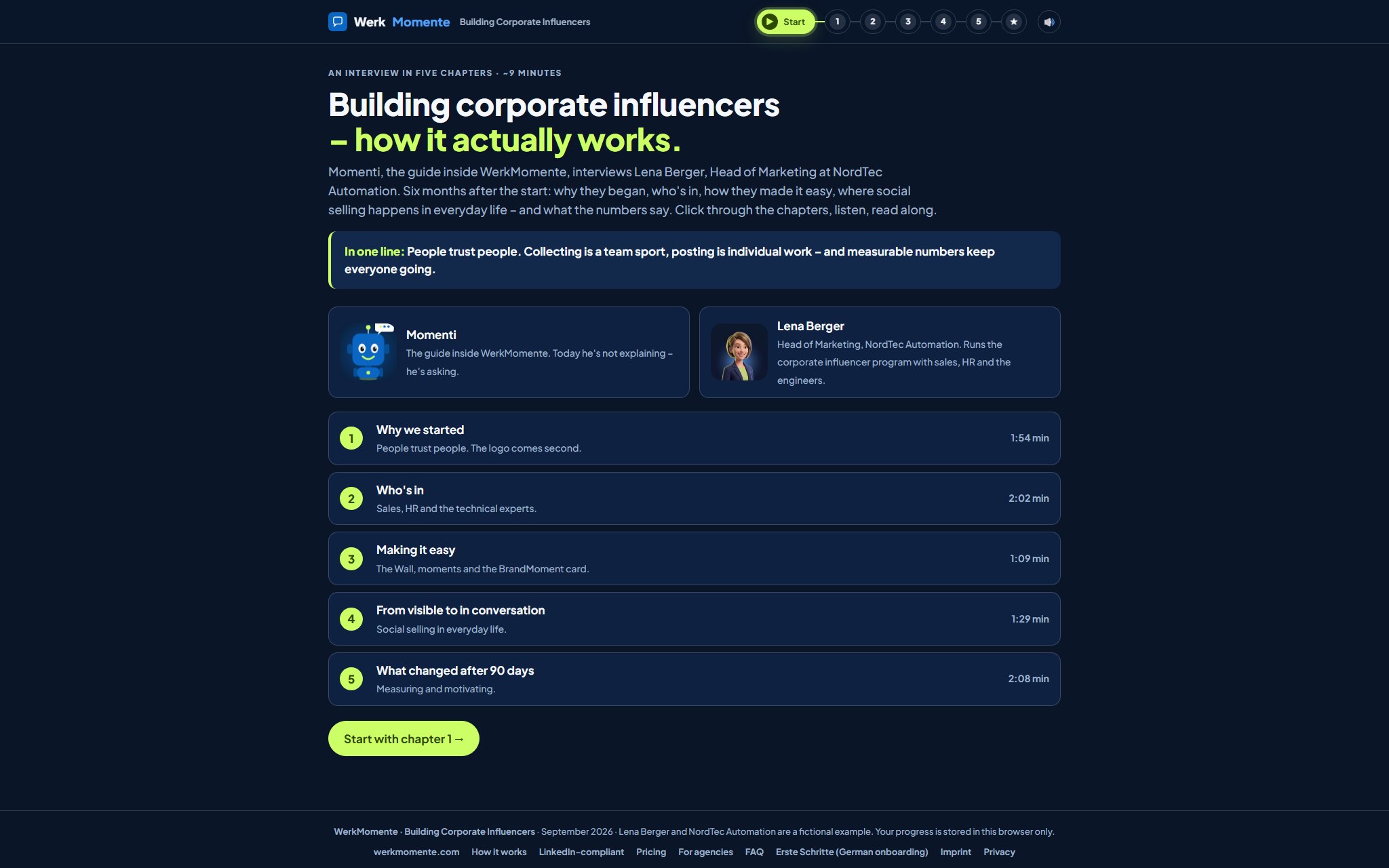
Momenti, the guide inside WerkMomente, turns the tables. Instead of explaining, he interviews Lena Berger, Head of Marketing at NordTec Automation, six months into her corporate influencer programme with sales, HR and the engineers. Why they started, who is actually in, how they made posting easy, where social selling happens in everyday work – and what the numbers said after 90 days. Lena and NordTec are a fictional example; the mechanics behind her answers are not.
This page shows the principle. The handbook shows every action — sharing moments, the Wall, publishing with AI, the editorial plan and the team, the numbers and motivation, the workshop helpers and the admin area. Currently available in German only.
First steps Events Open the handbook (DE)